




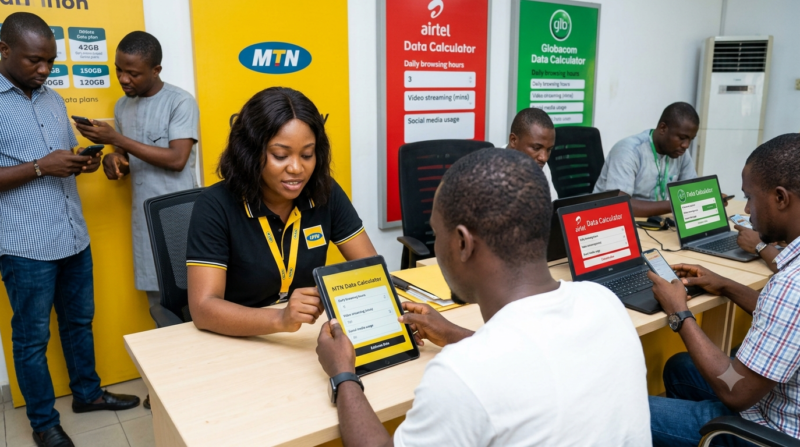
Nigerian data subscribers have spent years asking one question that never quite gets a satisfying answer: where does the data actually go. Telecom operators have responded in different ways over the years, and the latest wave of that response is a set of online data calculators from MTN, Airtel and Globacom that promise to help subscribers estimate how much data their daily habits consume before they even buy a plan. We went through all three tools to see how they hold up in practice.
MTN’s calculator is the oldest of the three, and it shows. Housed on the MTN Nigeria website, it works on a simple slider system. Subscribers pick activities such as web browsing, social media use, email, music streaming, and video streaming in both HD and non-HD quality, then slide to indicate how many minutes a day they spend on each. Behind the scenes, MTN applies fixed rates, a minute of web browsing is treated as roughly 1MB, a minute of HD video as about 15MB, and an email with no attachment as 20KB. The output is a projected daily, weekly or monthly figure. It is quick and requires no technical know how, but the fixed per minute assumptions do not always reflect how apps actually behave today, especially with autoplay video and background syncing baked into most social platforms now.
Airtel’s Web Data Calculator is the newest entrant, launched only weeks after MTN staged its own “Data on Trial” event, a public demonstration where auditors were brought in to defend the accuracy of MTN’s billing systems. Airtel’s version follows a similar activity based structure, letting users select streaming, social media, calls, messaging and general browsing, then generating an estimate. Where it differs slightly is in presentation. The interface feels more modern, and Airtel has framed the tool explicitly around transparency, positioning it as a direct answer to years of subscriber complaints about data disappearing faster than expected. In our run through, the estimates it produced were broadly in the same range as MTN’s, though Airtel leans a bit more generous in its assumptions for video heavy usage.
Globacom’s Data Calculator is technically the pioneer of the three, first introduced back in 2018 and still running in much the same form on the Glo website today. It asks users to input monthly data entries alongside details like emails sent and received, hours of music streaming, and time spent browsing news or shopping sites. The output gives a monthly estimate meant to guide plan selection. It works, but the interface feels dated next to Airtel’s newer tool, and the activity categories are narrower than what MTN and Airtel now offer.
SEE ALSO:MTN Foundation Launches AI Training Program for Nigerian Teachers to Transform Classroom Learning
Running the same rough usage profile, a mix of moderate social media, an hour of HD streaming and light browsing, through all three tools produced estimates that were close but not identical, which on its own tells subscribers something useful. These calculators are built on each operator’s own assumptions about how much data an activity consumes, not a universal standard, so the number you get from MTN will not always match what Airtel or Glo would tell you for the exact same habits. None of them account for background processes like automatic app updates, cloud backups or push notifications, which the Nigerian Communications Commission has repeatedly pointed to as a major, often invisible, source of data drain.
What all three tools share is a limitation worth knowing before you rely on them to budget your next data purchase. They are built for estimation, not precision. They are useful for getting a rough sense of whether a 2GB plan or a 6GB plan fits your monthly habits, but they should not be treated as an audit of what your phone is actually using. For that, the built in data usage tracker on your device remains a more reliable day to day companion.
If you are choosing between the three purely on usability, Airtel’s calculator currently offers the cleanest experience, MTN’s remains the most detailed in terms of activity breakdown, and Glo’s is functional but overdue for a refresh. Whichever one you use, treat the output as a starting point for your data budget, not the final word on where your last gigabyte went.